Bring back the 80s radio vibe
on your iPhone
The app that announces your tracks.
M-TrackR listens to what you play on Apple Music or Spotify and announces every title out loud, just like a radio host.
 Apple Music
 Spotify
 Available on the App Store
The radio experience, with your music
Bring back the magic of classic radio: a DJ introducing every track - except the playlist is yours.
DJ voice announcements
Title and artist announced by a natural-sounding synthetic voice (ElevenLabs technology) on every track change. Just like radio, minus the ads.
Apple Music & Spotify
Connect your favourite source. M-TrackR automatically detects the track currently playing - no interaction needed.
Smart ducking
The music is never cut off: its volume gently lowers during the announcement, then rises back automatically.
Trilingual EN · FR · ES
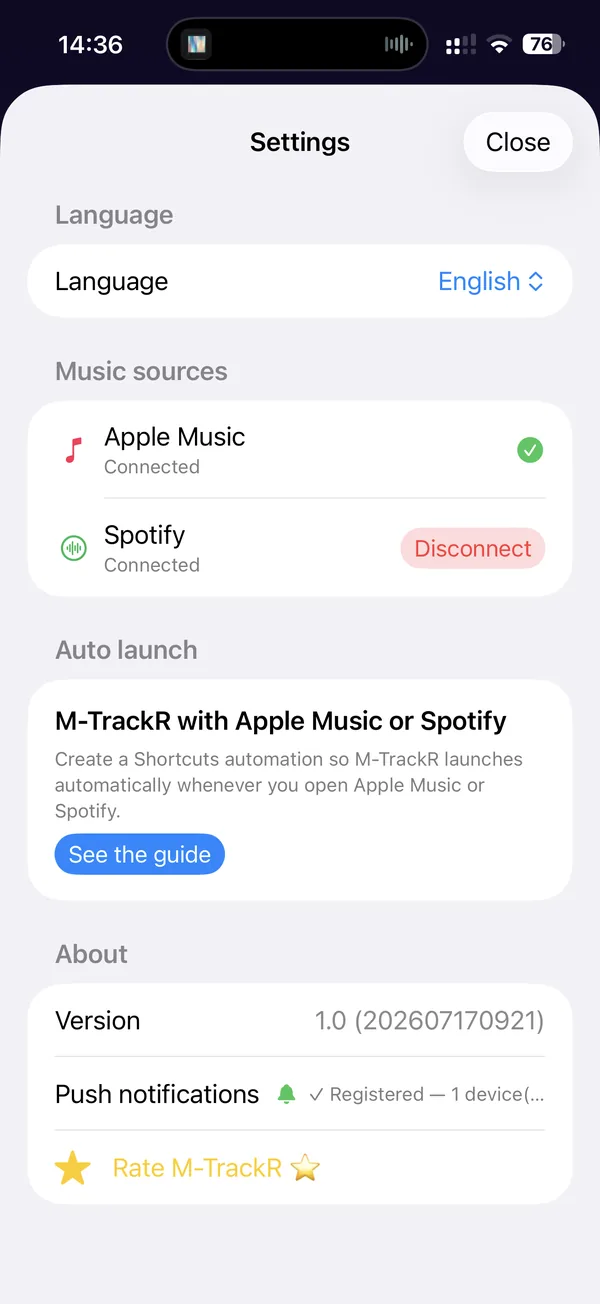
Interface and DJ voice in English, French and Spanish - a male and a female voice to choose from for each language, or matched to your iPhone's language.
Works with the screen locked
M-TrackR stays active in the background: announcements keep coming with your iPhone in your pocket, screen off.
Automatic launch
With an iOS Shortcuts automation, M-TrackR can start on its own as soon as you open Apple Music or Spotify.
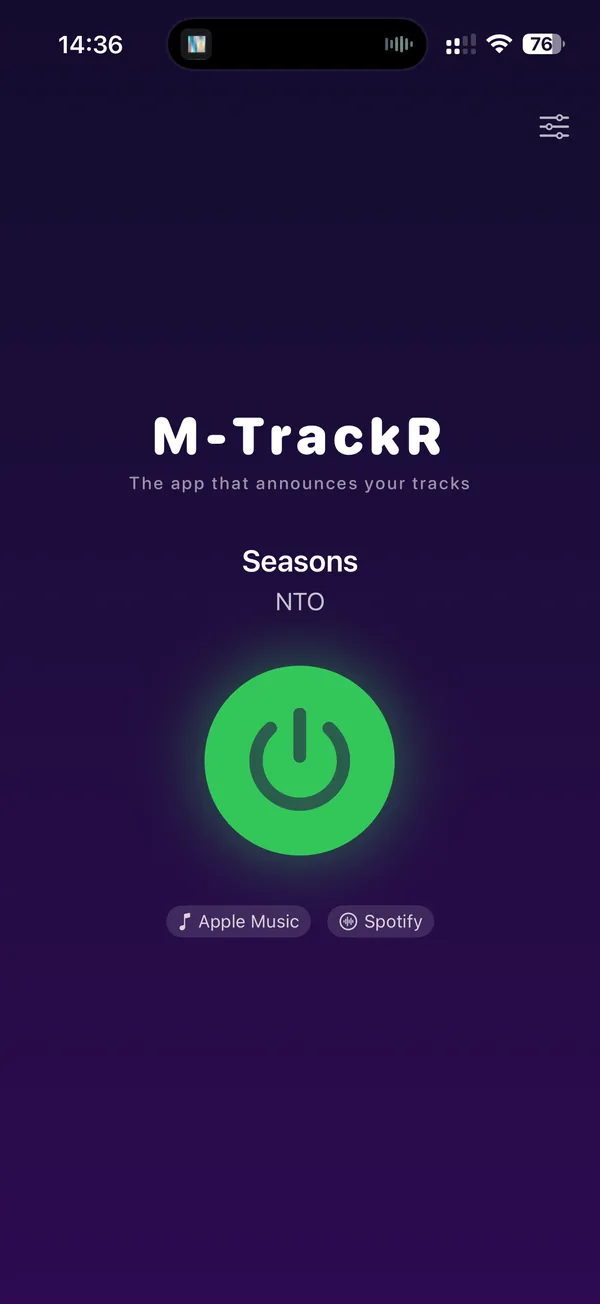
A look at the app
Simple and to the point: the current track, one button, and the DJ does the rest.
How it works
Three steps, and your iPhone becomes a personal radio station.
Connect your music
Allow Apple Music access or connect your Spotify account in M-TrackR's settings.
Start your playlist
Listen to your music as usual, in your favourite app.
Enjoy the DJ
On every new track, the voice announces the title and artist, then the music takes over again.
Frequently asked questions
Everything you need to know before installing M-TrackR.
Which devices does M-TrackR run on?
M-TrackR runs on iPhone with iOS 17.0 or later.
Which music sources are supported?
Apple Music and Spotify. Detection is automatic: as soon as a new track starts, M-TrackR announces it. Since Deezer no longer offers developer accounts for new applications, it is not supported yet.
Does the voice announcement interrupt the music?
No. During the announcement the music volume is simply lowered (ducking), then automatically rises back once the announcement is over.
Does M-TrackR work in the background or with the screen locked?
Yes. M-TrackR keeps monitoring your playback and announcing tracks even when the app is in the background or the screen is locked.
Which languages is M-TrackR available in?
The interface and the DJ voice (a male and a female voice per language, ElevenLabs technology) are available in English, French and Spanish. The language can follow your system settings or be chosen manually.
How much does M-TrackR cost?
M-TrackR is free for 30 days, then available through a $0.99 monthly subscription, cancellable at any time from your App Store settings.
Is M-TrackR available on the App Store?
Yes! M-TrackR is available right now on the App Store.
Do I need a Spotify Premium subscription?
A Spotify account is required to connect Spotify to M-TrackR. Apple Music needs no special setup beyond the access permission requested at first launch.